
Effortless Enterprise Experience
A 2030 vision for enterprise IT, achievable now with agentic AI: state the need once, and the system resolves it quietly, safely, and inside the workflow.
6 min read
- Agentic AI
- Enterprise Experience
- ITSM
- Future of IT
- AI Strategy
2030 vision, achievable now with Agentic AI
By - Anil Talla
Why enterprises got here
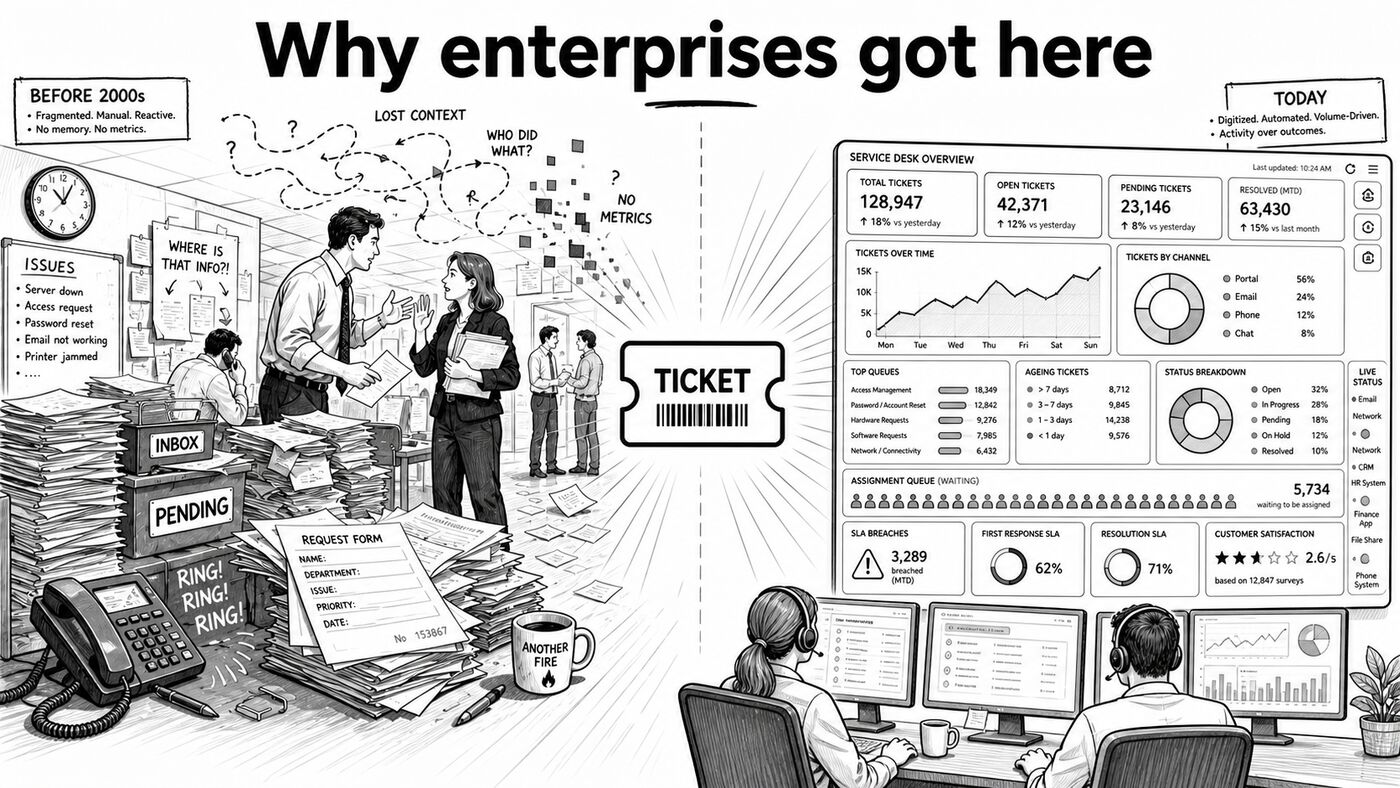
Pre-2000s, IT was chaos: paper forms, phone calls, hallway asks, no memory, and no metrics. ITIL and ITSM made the ticket the atomic unit so that work could be tracked, audited, and reported.
The problem is that 20 years later, most enterprises still optimize for tickets rather than outcomes. Because it is only done that way, it is time to apply first-principles thinking.
The best enterprise experience will stop looking like a portal, a ticket form, or a chatbot and start feeling like a persistent service companion embedded into enterprise workflows and distributed across the interfaces employees already use.
Instead of asking people to navigate systems, the platform should capture intent, understand user & enterprise context, take action, record everything it does, and bring in humans only when judgment is needed.
This is the same shift that will make the best consumer products feel effortless. The user expresses a need once, the system carries context across surfaces, and most of the work happens invisibly unless the user wants control.
Core idea
The future is not a better AI ITSM portal with AI bolted on. It is an AI-native enterprise experience layer that serves help where people already work and converts natural-language intent into completed, end-to-end outcomes effortlessly.
The visible experience becomes simple and consumer-grade, while complexity shifts to a hidden orchestration layer that handles triage, policy checks, approvals, execution, audit trails, and structured system memory.
Tickets still exist in the background, but they are no longer the primary user experience. The system maintains a complete, searchable record of what was done, by whom, under which policies, and with what result, without forcing employees to think in tickets.
What effortless means
An effortless enterprise experience has six traits:
One entry point everywhere. Employees can ask for help via shortcuts, the menu bar, Slack, Teams, ChatGPT, Claude, email, browser, mobile, or voice.
Intent instead of forms. People say what they need in plain language, as if speaking to a human, without choosing categories or priorities.
Context before questions. The system already knows identity, role, device state, recent changes, active incidents, and relevant policies.
Fully self-service by default. In the majority of cases, the system should get the job done in seconds without creating a queue or waiting on manual triage.
Resolution over response. The platform is judged by whether it solved the end-to-end problem, not by whether it generated a polite reply.
Humans for exceptions. AI handles repetitive work; people step in for judgment, nuance, approvals that require discretion, and edge cases.
A day in the life: employee

Access request
An employee says, “Get me access to Figma for the Apollo project.” The system understands project context, checks policy, verifies approvals, and either grants access instantly or routes a one-tap approval to the right manager.
There is no portal, no category selection, and no waiting for triage. The request starts and finishes in the same interface, with the full action history recorded automatically.
Incident support
During a customer call, the employee says, “Why is the finance dashboard down?” The enterprise experience layer recognizes the issue as part of a known incident, surfaces status and ETA, suggests the right workaround, and suppresses duplicate noise.
Instead of losing time to unnecessary troubleshooting, the employee gets immediate clarity and can keep the customer conversation moving.
Device issue
The employee says, “My VPN keeps disconnecting.” The system checks device posture, recent updates, known issues, and prior remediation history, then either fixes the problem automatically or brings in a specialist with the full diagnostic trail already attached.
There is no “please repeat everything” moment because the system carries both context and memory from the first second.
Proactive prevention
Before a risky operating system update is deployed, the system warns affected employees, explains likely impact, proposes a safe path, and documents every preventive action that follows.
Help is no longer only reactive. It becomes preventive, ambient, and invisible until needed.
A day in the life: IT helpdesk
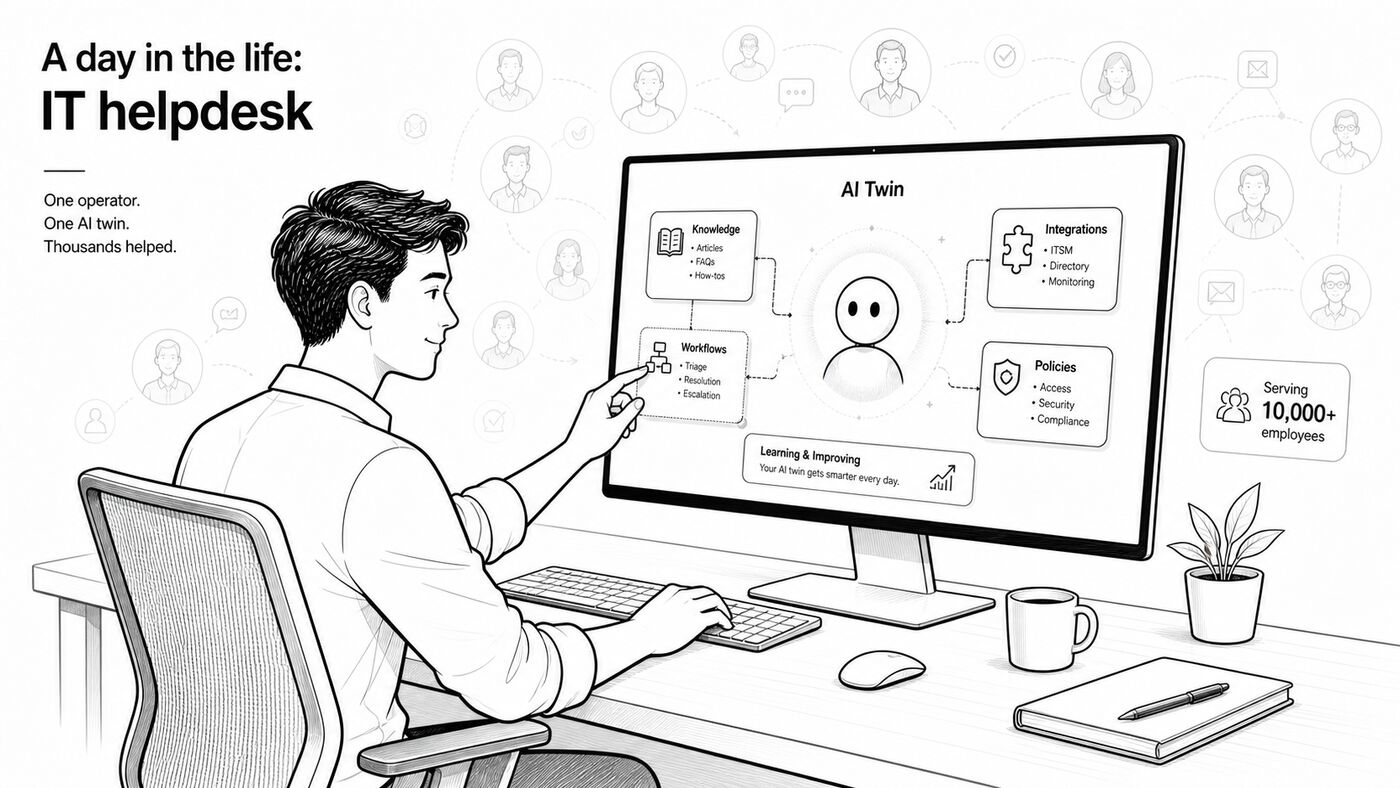
Training the enterprise twin
The helpdesk team does not spend its day manually clearing queues. Instead, it trains and improves the enterprise AI twin that employees use for self-service.
Every resolved issue becomes training material. The helpdesk validates good resolutions, curates knowledge, defines safe boundaries, and ensures that the next similar request can be handled instantly by the system.
Turning resolutions into system capability
When a recurring issue appears, the helpdesk uses AI to convert tribal knowledge into structured knowledge articles, decision logic, and reusable workflows.
Instead of writing technical code from scratch, the team uses AI to generate no-code or low-code playbooks, connect integrations, and define the actions the system can safely take.
Governing quality and trust
The role of the helpdesk shifts from answering the same questions repeatedly to governing whether the AI twin is resolving issues correctly.
The team reviews edge cases, improves prompts and workflows, checks policy alignment, and monitors where human judgment is still needed. Their leverage comes from improving the system once so thousands of employees get a better result the next time.
Doing more with less
A single well-equipped helpdesk operator can now manage far more surface area because AI handles the repetitive execution. What matters most is not deep technical specialization for every task, but strong context about the enterprise: how teams work, what policies matter, where systems connect, and what good outcomes look like.
The result is that one person, working with an AI twin, can deliver the effective output of a much larger support organization.
Product shape
The AI-native enterprise experience layer has six parts:
ComponentPurposeEverywhere interfaceOne companion across chat, desktop, mobile, email, voice, browser, and any AI app employees already useIntent engineUnderstands natural-language requestsContext enginePulls identity, device, application, history, policy, and organizational contextResolution engineDecides whether to answer, automate, ask, approve, or escalate, then executes workflows end to endHuman handoff layerTransfers full context to specialists when judgment or intervention is neededTrust and control layerHandles approvals, safety, compliance, audit history, and complete recording of system actions
Design principles
Presence beats portals
The enterprise experience layer should live where work already happens, not in a destination employees must remember to visit. Service should be served where people are.
Workflow-native, not form-native
The system should align with how work actually gets done, not with how legacy systems prefer requests to be submitted.
Voice-first, not voice-only
Voice is often the fastest way to express a need, especially under stress or while multitasking. The best experience still blends voice, text, and controls for precision.
Tickets disappear from the foreground
Tickets remain useful for workflow, audit, and reporting purposes, but they should not be the main thing the user interacts with.
Context is the product
The magic does not come only from the model. It comes from identity, device state, role, incidents, history, permissions, and policy.
Every human resolution becomes system learning
Any resolution handled by a human should be captured, structured, and turned into reusable knowledge, workflow logic, or safe automation for the next similar case.
This creates a compounding loop: humans resolve edge cases, the platform learns the pattern, governance defines the safe boundary, and the next employee gets the answer or fix instantly. Over time, the enterprise experience layer becomes faster, smarter, and less dependent on repetitive manual intervention.
Automation must stay legible
Autonomous action should still feel transparent, safe, and reversible. The system should clearly explain what it did, why it did it, what happened next, and preserve a complete history for audit and trust.
Strategic implication
The winning product will not merely add AI to legacy workflows. It will redesign enterprise experience around one simple promise: state the need once, and the system resolves it quietly, safely, and inside the workflow where work is already happening.
As more requests are resolved automatically in seconds, IT and operations teams no longer need to scale linearly with employee demand. They can remain smaller, more leveraged, and more strategic because the AI twin absorbs the repetitive work.
That changes the role of IT leadership. Instead of being buried in support queues, infra firefighting, and operational drag, the CIO can increasingly become a revenue enabler: accelerating employee productivity, improving service quality, and turning internal systems into a strategic advantage.
That is what consumer-grade enterprise experience should look like, and it is increasingly achievable now.
5 views
Respond
Select a passage if you want it included. Your email is never shown. I read each response before it appears here.